
Available to buy
Old Radiators Can Learn New Tricks
Smarter radiator control for modern living.
Meet neoFlo, the smart radiator thermostat designed to bring quiet comfort, digital precision and room-by-room control into the neo ecosystem. Enable convenient app control or build a fuller heating solution for your home.
Why neoFlo
Bring smarter control to every room
neoFlo is designed to help you move beyond whole-home heating and bring more precise control to the spaces that matter most. Whether you want to extend an existing neo underfloor heating system into radiator-heated rooms, upgrade a single room, add smarter schedules, or build a setup that can call for heat room by room, neoFlo gives you flexible ways to get there.
Choose your setup
Four ways to get started
Start simple or build a more complete smart radiator system. These packs provide suggested routes in, but the right neoFlo setup will depend on how you want the system to work in your home and can be adapted to suit your needs.

neoFlo Single
- Ideal for extending control into an additional radiator heated room
- Great for adding to an existing neo underfloor heating system
- Easy to build on over time

Four-Pack
- Upgrade multiple rooms at once
- Stronger comfort across the home
- Good foundation for expansion
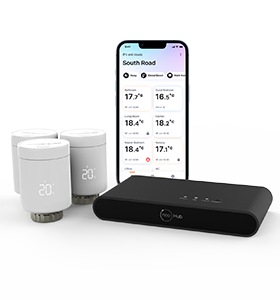
Smart Pack
- Includes neoHub G3
- Enable neoApp, scheduling and remote access
- Create a stronger connected setup from day one
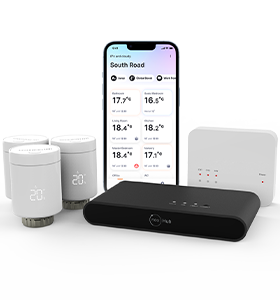
Heating Pack
- Adds neoHub G3 and RF Switch for app and heat source control
- RF Switch connects to the boiler or hot water supply
- Requires professional installation for heat source connection
Made for every system
From underfloor to every floor
neoFlo can be used on its own for local radiator control, added to neoHub G3 for app-based smart control, or combined with RF Switch when the system needs to do more than simply open and close the radiator valve.
That makes it a strong fit for radiator-only homes, hybrid homes combining underfloor heating and radiators, and households looking to connect room-by-room comfort with a broader neo setup.
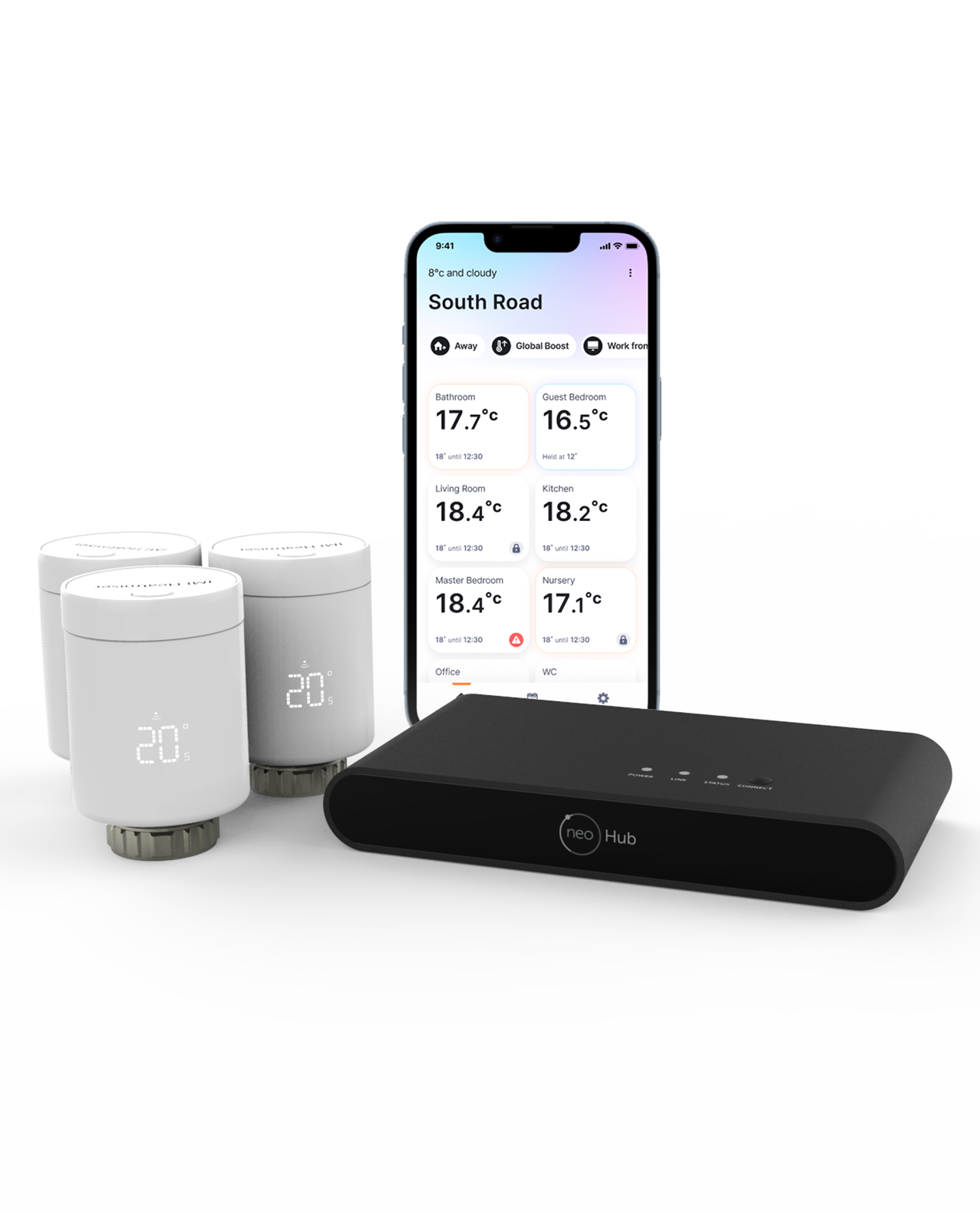
Smart home compatibility
Connect neoFlo into a wider smart home setup
When paired with neoHub G3, neoFlo can form part of a broader connected home experience, helping bring radiator control into the wider neo ecosystem and compatible smart-home platforms.
This gives homeowners a convenient way to combine room-by-room radiator control with app access, routines and familiar smart-home integrations.


System functionality
Choose the level of control that suits your home
neoFlo can be used on its own for local radiator control, paired with neoHub G3 for smarter app-based features, or combined with RF Switch where the system needs to call for heat.
Stand-alone
neoFlo on its own
Local radiator control straight from installation, with manual adjustment, simple scheduling, boost mode, frost protection and other core functions built in.
Connected control
Add neoHub G3
Enable neoApp control, smarter scheduling, holiday mode, pre-heat, temperature hold, OTA updates and broader smart-home compatibility through the neo ecosystem.
Complete control
Add RF Switch
For systems that need to call for heat, RF Switch enables neoFlo to become part of a wider heating response, helping the system request heat when rooms need it.
Stand-alone functions without neoHub
neoFlo can operate independently without neoHub, providing essential heating control right from installation. The only requirement is calibrating the radiator valve, allowing a quick and simple setup without relying on network availability.
| Manual mode | Users can manually adjust room temperature by pressing the button to activate the display, then turning the wheel to select the desired setpoint. The chosen temperature remains active until changed again or overridden by another mode. |
| Open window detection | If the room temperature drops sharply (>2°C in 2 minutes), neoFlo closes the valve for 30 minutes to help prevent unnecessary heating. After that, it returns to the previous mode. Settings can be adjusted via the neoApp when paired. |
| Simple time scheduling | Up to four daily heating periods with different temperatures can be set directly on neoFlo, helping reduce energy use before connecting to neoHub for more advanced scheduling. |
| Boost mode | Boost mode fully opens the valve for 30 minutes to warm the room quickly. A countdown appears on the display, and the system then returns to the previous schedule or mode. |
| Frost protection | If room temperature drops below 5°C, neoFlo automatically opens the valve to help protect against freezing pipes. |
| Valve protection | neoFlo runs an automatic valve exercise cycle once a month to help prevent limescale build-up and maintain performance. |
| Low battery indicator | A low battery icon appears when replacement is needed. Thanks to hybrid technology, battery life is designed to last around 5 to 6 years. |
Enhanced functions with neoHub G3 and neoApp
Connecting neoFlo to the neoApp via neoHub G3 enables full remote control and access to advanced settings. Users can adjust temperatures through the app or directly on neoFlo, with synchronisation between the two.
| Auto mode | neoFlo follows a heating profile based on predefined schedules. These can be modified through the neoApp, with manual temperature changes remaining active until the next scheduled change. |
| Holiday mode | Set Holiday Mode through the neoApp to switch devices to frost protection until a specified return date. Heating can still be temporarily activated if required. |
| Adaptive thermal balancing | neoFlo can help improve heat distribution by adjusting flow to help prevent uneven heating. For more advanced balancing performance, IMI Heimeier valve solutions can also be used. |
| Boost mode | Need fast heating? Boost Mode fully opens the valve for 30 minutes, then returns to the previous mode automatically. |
| Temperature hold | Set a temporary temperature outside the normal schedule for a chosen duration. Once the hold period ends, neoFlo returns to the previous schedule. |
| Open window detection settings | The neoApp allows the sensitivity and duration of open-window detection to be adjusted. |
| Pre-heat | With Pre-Heat mode, neoFlo starts heating before the scheduled time so the target temperature is reached when needed. |
| Offset temperature | neoFlo measures temperature at the radiator, so a room offset of ±5K can be applied in the neoApp to fine-tune comfort. |
| Automatic software updates | Once paired with neoHub G3, neoFlo can check for software updates and install them in the background. |
What does adding RF Switch enable?
RF Switch is the component that allows neoFlo to become part of a setup that can call for heat. It acts as a wireless receiver and can trigger the boiler, zone valve or other heat source output when rooms need heating.
- Enables neoFlo to be part of a wider heating response
- Supports up to 2 heating zones and 1 hot water zone
- Surface-mounted wireless receiver for easy installation
- Can also act as a wireless boiler enable link from UH8-RF v2
- For neoFlo call-for-heat setups, up to 20 neoFlo devices can be paired, with up to 10 per channel
| Product | Heatmiser RF Switch v2 |
| No. of heating zones | 2 |
| No. of hot water zones | 1 |
| Mounting type | Surface |
| Relay load max | 3A resistive |
| Total load max | 9A resistive |
| Supply | 230V AC |
| Dimensions | 108 x 90 x 24mm |
Downloads
Manuals and datasheet
Give homeowners, installers and merchants a clear next step with direct document access from the landing page.
Ready to buy
Choose the neoFlo setup that fits your home
Start with a single thermostat, upgrade more rooms together, or move straight to a more complete connected system with the right pack.
Common questions
Need help understanding neoFlo?
neoFlo can work in different ways depending on how you want the system to operate. These questions are here to help explain the most common setup options.
How does the neoFlo system work?
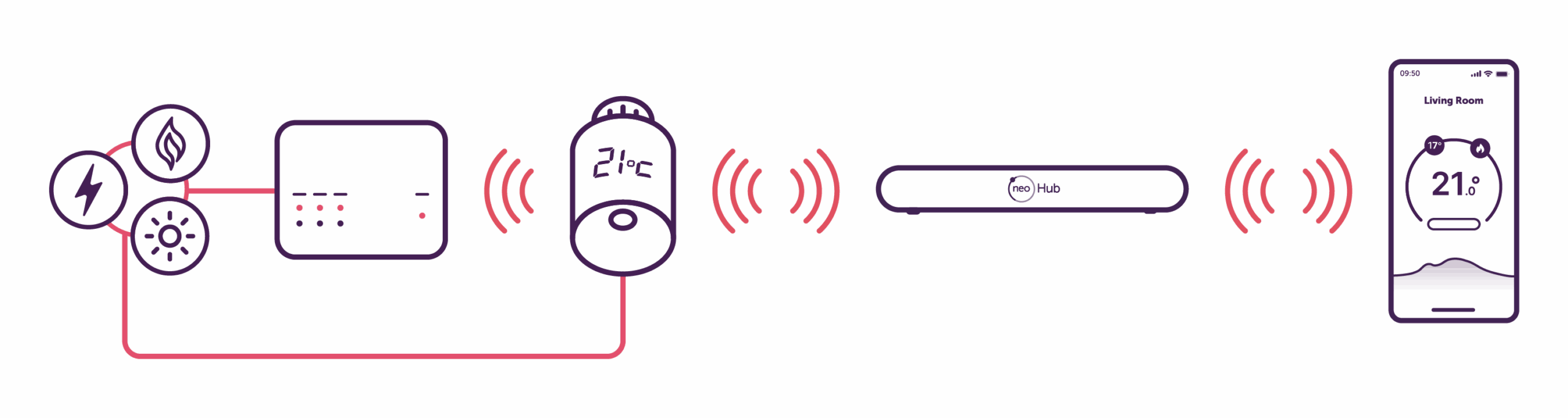
neoFlo fits to the radiator and controls the flow of warm water through the valve to manage room temperature. If you want connected app control, neoFlo can pair with neoHub G3, which links the system to your router and the neoApp. If you want the system to be able to call for heat, neoFlo can also work with the RF Switch, which can then trigger the boiler, zone valve or other heat source output.
In simple terms: the heat source provides warm water, neoFlo controls the radiator, neoHub G3 adds app control, and RF Switch allows the wider system to respond when a room needs heat.
Do I need to buy neoFlo as a pack?
No. The packs are there as suggested routes in to make choosing easier, but they are not the only way to buy. For example, if you already have a neoHub G3, you may only need neoFlo units. If you want a system that can call for heat, you may add an RF Switch as well. The right setup depends on how you want the system to work in your home.
Can I add neoFlo to an existing neo underfloor heating system?
Yes. neoFlo is a strong option for homes that already use the neo ecosystem for underfloor heating and want to extend smarter control into radiator-heated rooms. In many cases, this means you can keep building on the neo setup you already have rather than starting again.
Can I use neoFlo on its own?
Yes. neoFlo can be used on its own to control an individual radiator locally. If you want wider system features such as app control, scheduling, remote access or smart-home compatibility, it should be paired with neoHub G3.
Do I need a neoHub G3?
neoHub G3 is required for app control and for connecting neoFlo into the wider neo ecosystem. It enables use of the neoApp, remote access, schedules, routines and broader smart-home compatibility. If you already own a neoHub Gen 1 or Gen 2, you will need to upgrade to a neoHub G3 to use neoFlo with app-based control. If you only want local radiator control, neoFlo can still be used without a hub.
Why would I need an RF Switch?
The RF Switch is used when you want neoFlo to be part of a setup that can call for heat. It receives signals and can trigger the boiler, zone valve or other heat source output, allowing the wider system to respond when a room needs heating.
Can I pair multiple neoFlo devices with neoHub G3 and RF Switch?
Yes. You can pair multiple neoFlo devices with neoHub G3 for smart control of radiators throughout the home. To create a system that can call for heat, up to 20 neoFlo devices can also be paired with an RF Switch, with up to 10 devices per channel.
Does neoFlo use batteries?
Yes. neoFlo uses 4 x AA batteries, with battery life designed to last up to six years.
Will neoFlo fit my radiator valve?
neoFlo is fitted with an M30 x 1.5 connection, which fits most modern radiator valves. It is also supplied with an RA adaptor for other valves. For older radiator types, please refer to the setup sheet, which lists additional adaptors that are also available to buy.
Can neoFlo work with smart-home platforms?
Yes. When paired with neoHub G3, neoFlo can form part of a broader connected home experience through the wider neo ecosystem, including app-based control and supported smart-home integrations.
Are there any videos to help me get started with neoFlo?
Yes. We’ve created a set of short videos to help explain installation, setup and everyday use of neoFlo.
neoFlo installation overview
Functions and features overview
Screen display guide
How to pair neoFlo